
Deadlock risk
~60 sof CPU saved on every run
It scanned the whole table, took 8.7 seconds (8,656 ms) and kept ending up in deadlocks. Now it takes 171 ms.
CPU per run
Source: average of multiple runs.
Reading from the disk is the slowest operation in SQL Server.
Thus, optimizing for fewer disk reads is often the target.
The problem
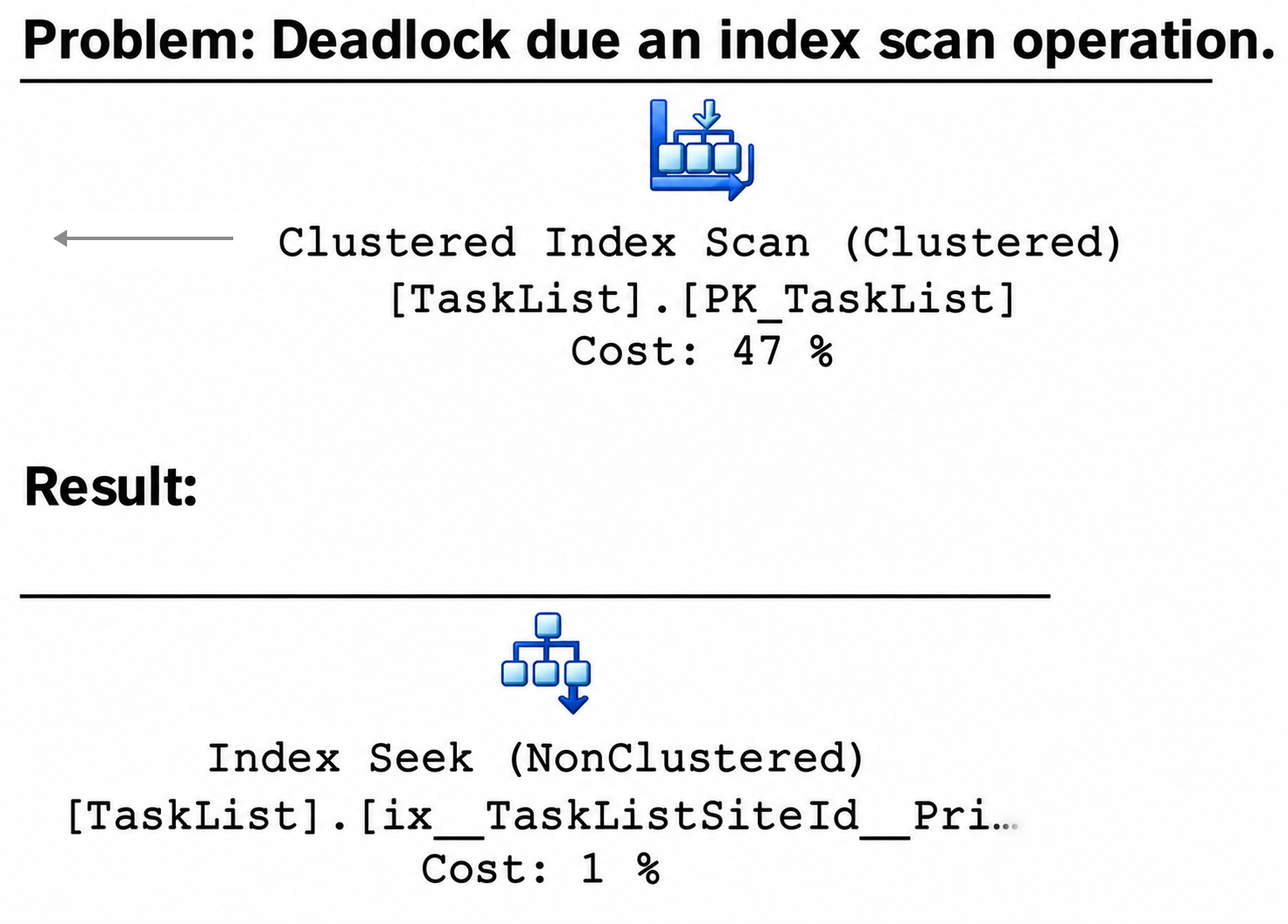
The stored procedure was continuously involved in deadlocking due to an index scan operation.
The fix
By adding a new index, we can turn a scan operation into a seek, making it much more efficient.
Final thoughts
The most common bottleneck for SQL Servers is disk access (or disk "reads").
It's neither the CPU nor the RAM, which are usually the first suspects for most customers.
And that makes much sense. Here is why:
- Inefficient queries scan (or read) much data.
- Data read in is stored in RAM. As more data is read in, “older” data is pushed out from RAM.
- If there isn’t enough RAM to keep ALL data in memory (which is often not possible), SQL Server has to read from disk, and that is the slowest operation SQL Server can do.
- When the query can be tuned to read 10 rows vs. 10 million, less CPU and RAM automatically are necessary.
Disk is one of the most common SQL Server bottlenecks, so reducing the disk reads is usually the primary objective.
For the end-user, nothing is more important than the speed (or duration) of the query, in every case.
Tuning to reduce CPU/RAM resources is helpful too.
When queries are tuned to need less CPU & RAM, it means that the same server now has more capacity.
Under the hood
Before and after, every measurement
The improvement was huge: the total number of disk reads dropped from 313,137 to just 5,337!
That's 59x!
As you can see in the chart below, CPU time dropped even further - by almost 66 times.
Here is a more detailed breakdown:
| Before | After | Improvement | |
|---|---|---|---|
| Duration (ms)* | 8,656 | 171 | 51x |
| CPU (ms)* | 60,663 | 922 | 66x |
| Disk, number of reads* | 313,137 | 5,337 | 59x |
Overall, we observed a remarkable improvement, with the query execution becoming 51 times faster!