
Security
- SA account and login exposure
- Encryption at rest and in transit
- Permission sprawl and orphaned users
- Firewall and network segmentation
- Backup encryption status
Find out what's wrong with your SQL Server before it becomes an outage. Our senior DBAs run a proprietary 145-point assessment and hand you a prioritized list of what to fix.
30-minute call. No obligation. No credit card.
Companies that started with an assessment and stayed for the results








We don't just look at SQL Server. We check everything SQL Server depends on.
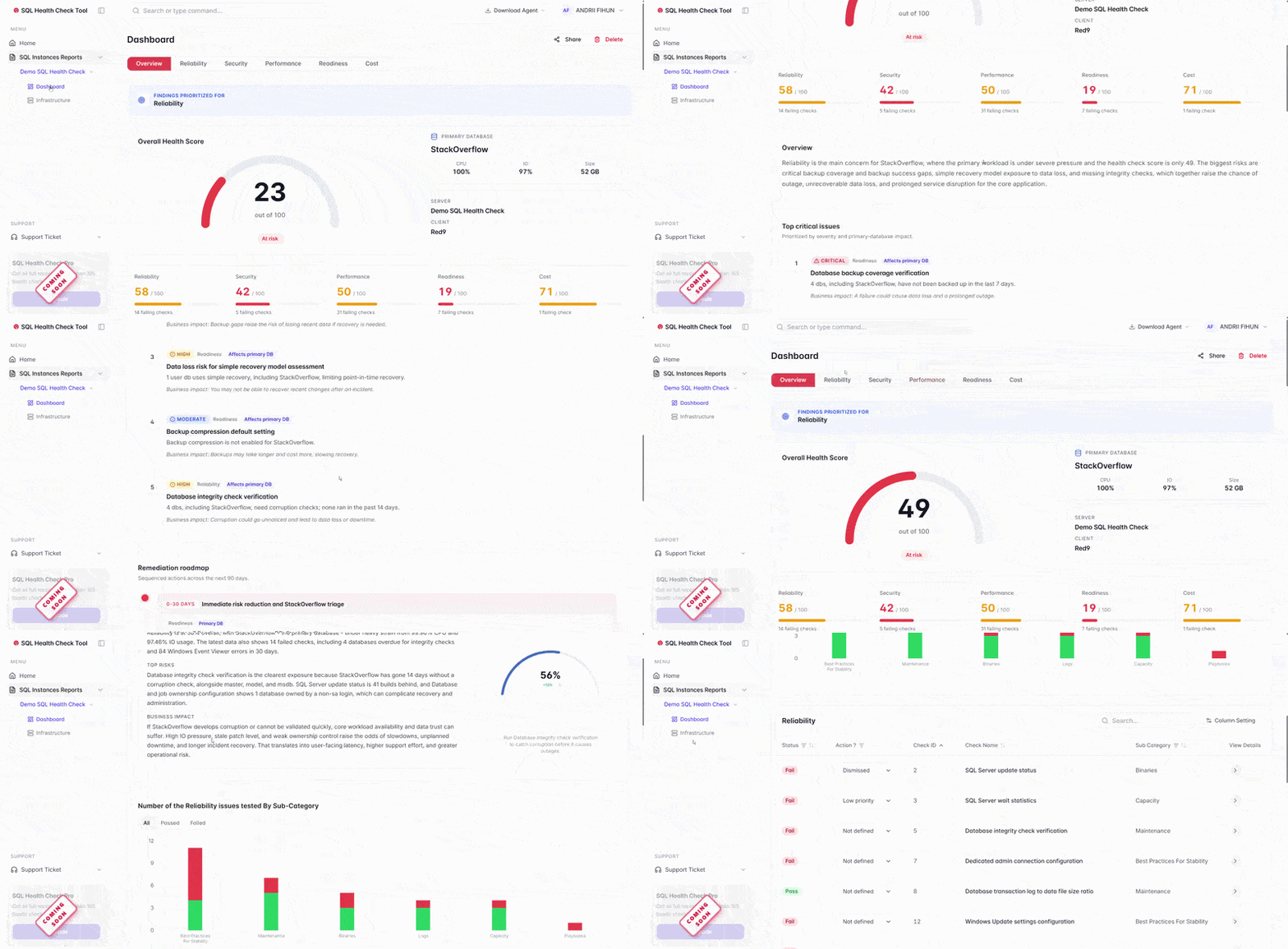
Every environment gets a single score based on all 145 checks. You'll see exactly where you stand and what's dragging your number down.
The whole process starts with a 30-minute conversation.
Pick a time. We'll spend 30 minutes learning about your environment and what's keeping you up at night.
Our DBAs connect securely and run the 145-point check. No installs, no agents, no impact on your production workload.
An executive summary with every finding categorized by severity, plus a recommended fix list in priority order.
Not a data dump. A prioritized list of findings with clear severity levels and recommended next steps.
Encrypted connections, 2FA, your security policies followed.
Read-only scripts that run during peak hours without impact.
No agents, no installs, no code on your servers.
Use the report however you want. We don't follow up unless you ask.
Because it's the best way for us to show you what we can do. Most companies that go through the assessment end up working with us, either on the fixes or on ongoing managed services. We'd rather earn your business by showing you real problems than by writing sales decks about it.
"Red9 DB knowledge is extremely advanced, rarely found on the market. The Red9 DBA was a responsible and reliable person who was always available when needed. Some of the most committed people I have ever worked with."
Elijah G., Manager, LIQ Corp
Microsoft ships several free ways to assess a SQL Server: the SQL Assessment API, the Azure portal's SQL best practices assessment for SQL Server on Azure VMs, the best practices check built into Azure Data Studio, and the older MAP toolkit for inventory. They are genuinely useful, and we are glad when a team has run one.
Here is what they do and do not do. The free tools run rule-based checks and hand you a list of findings, often hundreds of rows, flagged against generic best practices. What they cannot do is read your workload, weigh a finding against your actual business risk, or tell you which five of the four hundred items matter this quarter. They give you a finding list. They do not give you a fix order.
That is the job our senior DBAs do by hand. The 145-point assessment takes the same raw signal a tool would, adds what a tool cannot see (your query patterns, your cost exposure, your performance tuning headroom, and your version risk if an upgrade is overdue), and hands your CTO a prioritized plan instead of a spreadsheet. If you already ran a free tool and got a wall of findings you cannot act on, that is exactly the moment to talk to us.
Five categories: security, performance, cost, incident preparedness, and best practices. Within each, we check specific settings, configurations, and patterns. For example, under security we look at SA account exposure, encryption, and permission sprawl. Under performance we check wait stats, index health, query plans, and resource pressure. Under cost we look at licensing, over-provisioned resources, and right-sizing opportunities. The full list covers everything from backup encryption to cloud spend optimization.
No. Our scripts are read-only and designed to run against production environments without impact. We've run these during peak hours for Fortune 100 companies. There's no write activity, no schema changes, and no locking.
No. We don't install agents, services, or software. We connect securely, run our scripts, and disconnect. Nothing gets left behind on your servers.
The initial call is about 30 minutes. The audit itself runs in the background and typically takes a few hours depending on the size of your environment. You'll have your report within a few business days of the initial call.
Yes, we're building a free SQL Server Health Check tool that lets you run the same checks yourself. Join the waitlist if you want to go that route. If you'd rather have senior DBAs run it and hand you a prioritized report, booking a call is the better fit.
It's free. The report is yours to keep regardless of whether you work with us. We offer it because most companies that see the results want help fixing what we find. If you don't, that's fine too.
We use encrypted connections and two-factor authentication. We follow your organization's security policies and access requirements. We've worked with healthcare, finance, and government clients that have strict compliance mandates.
We don't share sample reports because every environment is different and we don't want to set misleading expectations. But the report structure is straightforward: executive summary, findings by category, severity ratings, and a prioritized fix list. You'll see a preview of the format during the initial call.
That's up to you. Some companies take the report and handle the fixes internally. Others ask us to fix everything through a consulting engagement. Some end up on one of our managed services plans for ongoing support. There's no pressure either way.
Book a 30-minute call. We'll run 145 checks, hand you the results, and let you decide what to do next. No cost, no commitment.
Book Your Free AssessmentOr call us directly: 1-877-891-1870