
SQL Server Tips

How To Re-Initialize SQL Server Merge Replication Publication

Updated October 29, 20252 min read

A step-by-step guide to SQL Server merge replication re-initialization

  1. Connect to publisher instance: CIXSQL01\TOUCHSTORE.
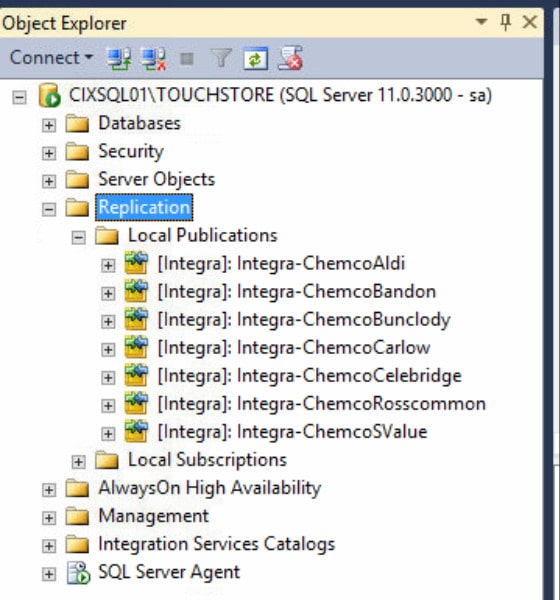
Figure 1 - Connecting to publisher instance
  1. Right-click on the Replication folder and select the Launch Replication Monitor option.
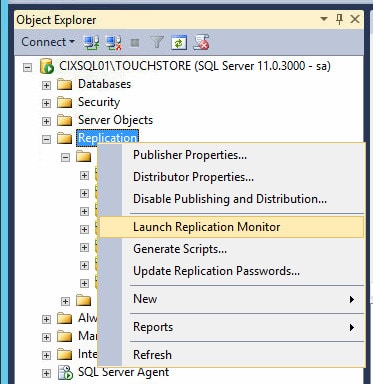
Figure 2 - Launching replication monitor
  1. Right-click on the publication that you want to reinitialize and click on Generate Snapshot.
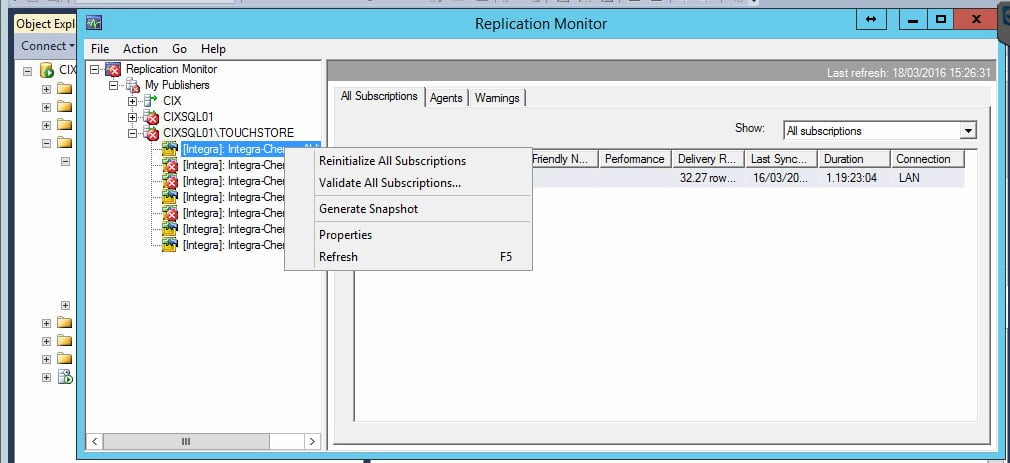
Figure 3 - Generating snapshot
Figure 3 - Generating the snapshot
  1. After generating the snapshot go back to Local Replication, expand the publication you want to reinitialize, right-click on the subscription name, and select Reinitialize.
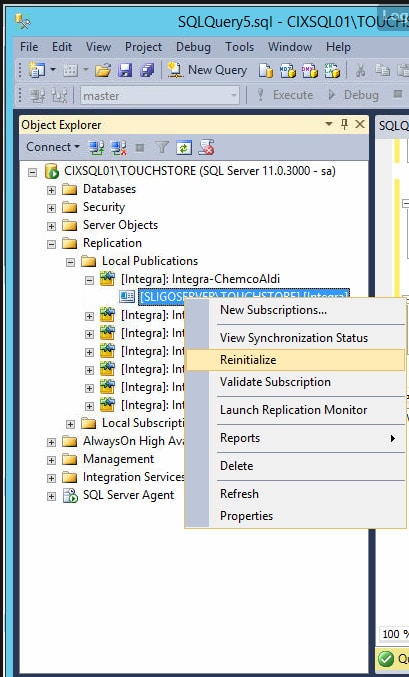
Figure 4 - Reinitialization of publication
  1. To check the synchronization status, right-click on the subscription name once again and select View Synchronization Status.
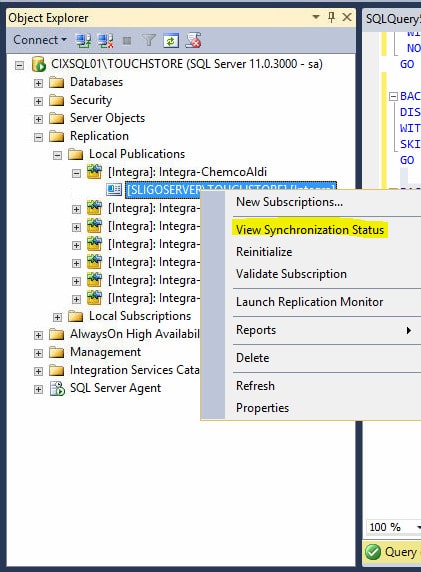
Figure 5 - Checking synchronization status
  1. The new window will show the synchronization status. This process may take a few minutes to complete. The time may vary according to the publication size.

Be aware that the synchronization process will run continuously; do not wait until it finishes.
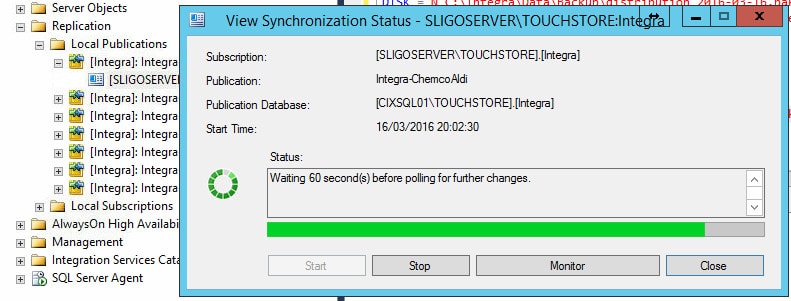
Figure 6 - Checking the synchronization status
  1. For more information about the publication status, right-click on the Replication folder and select the Launch Replication Monitor option.
    After completing the process, the publication must be without any error signs.
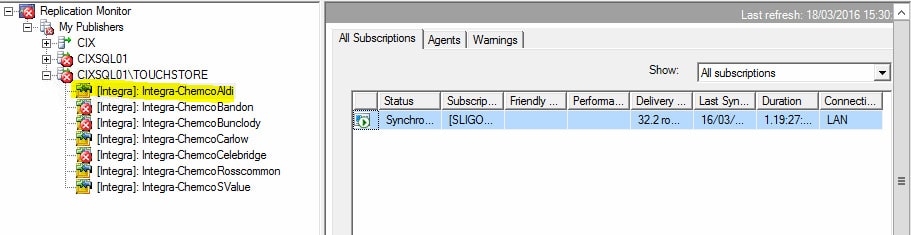
Figure 7 - Launching replication monitor
Figure 7 - Launching Replication Monitor

Conclusion

So, that's all you need to know about how to re-initialize SQL Server merge replication publication.


Discover More

Discover what clients are saying about Red9

Red9 has incredible expertise both in SQL migration and performance tuning.

The biggest benefit has been performance gains and tuning associated with migrating to AWS and a newer version of SQL Server with Always On clustering. Red9 was integral to this process. The deep knowledge of MSSQL and combined experience of Red9 have been a huge asset during a difficult migration. Red9 found inefficient indexes and performance bottlenecks that improved latency by over 400%.

Rich StaatsRich StaatsCloud EngineerMetalToad
See more testimonials